Open Science Desktop

Claude Science alternatives

Claude Science desktop alternative: local-first, open-source AI research workbench

If you are searching for a claude science desktop alternative, the important question is not only which model answers scientific questions. It is where your files live, how results are reproduced, and whether the workflow fits macOS, Windows, and Linux desktop research.

Open Science Desktop 5 min read
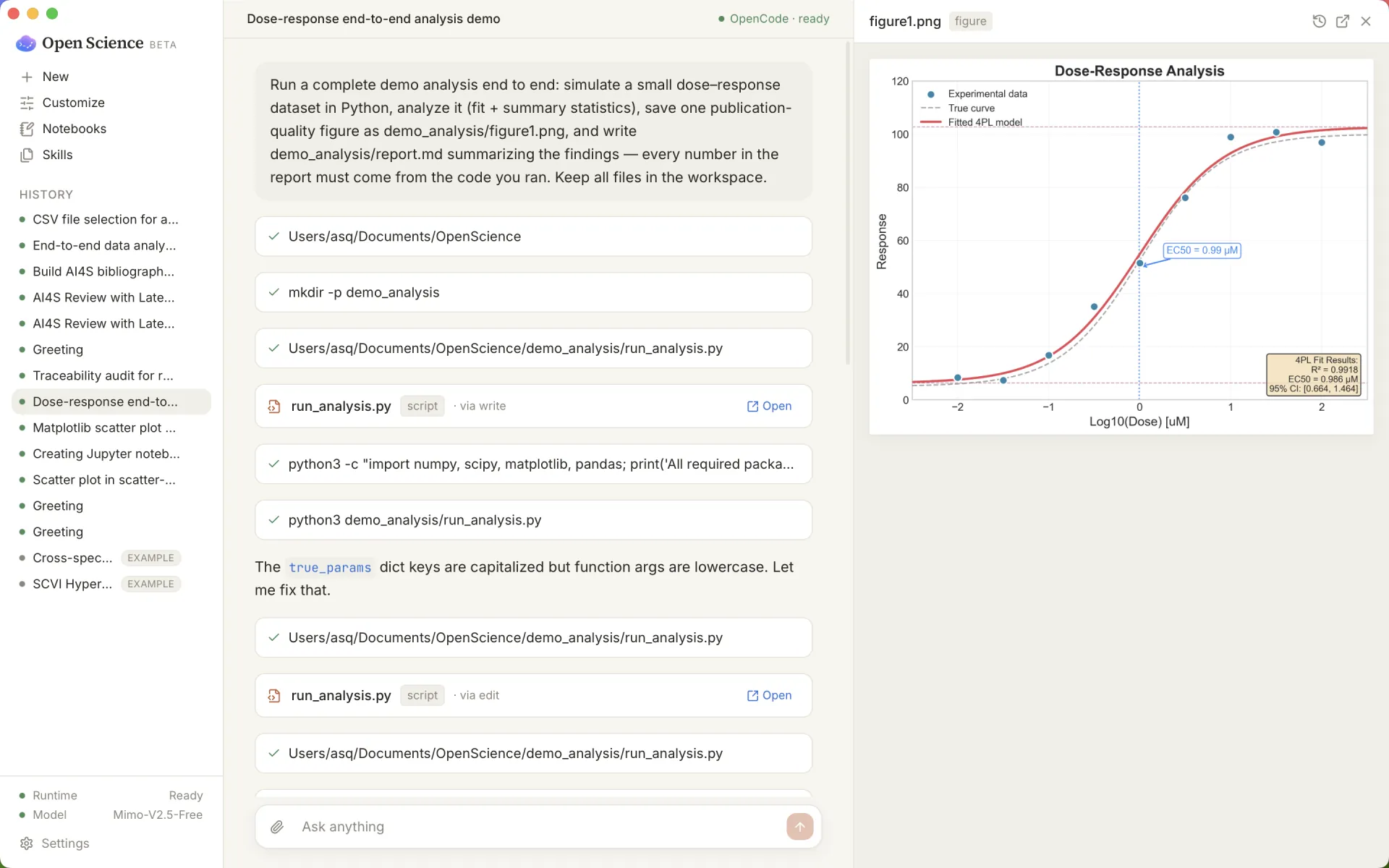
Open Science Desktop showing a local AI research workflow with a generated figure and traceable report

Short answer

Open Science Desktop is a local-first, model-agnostic AI research workbench for macOS, Windows, and Linux. It is built for researchers who want a desktop app, local project files, reproducible artifacts, and open-source code they can inspect.

That makes it a practical local first claude science alternative when your priority is private files, controlled execution, and research outputs that remain tied to the code, data, citations, and model context that produced them.

What a Claude Science desktop alternative should cover

Many AI-for-science tools focus on literature search, systematic review, or a browser workspace. Those can be useful. A desktop alternative has a narrower and more concrete job: it should work where researchers already keep manuscripts, notebooks, figures, datasets, and local scripts.

  • Desktop install: installers for everyday use, not only a hosted web app.
  • Local-first files: project files stay close to the machine and workspace by default.
  • Model-agnostic setup: bring your own model provider instead of locking the workflow to one vendor.
  • Reproducible artifacts: figures, tables, reports, and notebooks should keep the steps that created them.
  • Approval gates: installs, command execution, deletion, and network access should be explicit.

Open source Claude Science Windows alternative

The phrase open source claude science windows is specific for a reason. A large part of scientific work still happens on Windows laptops and lab machines, and researchers should not have to switch operating systems to use an AI research workbench.

Open Science Desktop publishes installers from the latest GitHub Release. The project is open source on GitHub, so teams can review the implementation, inspect release history, and build from source when needed.

macOS, Linux, Ubuntu, Debian, and RPM support

Open Science Desktop also targets macOS and Linux. The Linux path matters for research groups using Ubuntu, Debian, Fedora, openSUSE, or lab workstations where a browser-only product is not enough.

For SEO and for real users, this is why the project should be discoverable for open science macos, open science linux, open science ubuntu, and open science debian, not only generic “open science” searches.

Quick comparison by use case

Need Best fit Why it matters
Desktop AI research workbench Open Science Desktop Runs as a desktop app for macOS, Windows, and Linux.
Local-first project files Open Science Desktop Keeps research work close to local folders, scripts, and artifacts.
Browser workspace or hosted review flow Dedicated browser-first tools Good when the team wants a web workspace rather than a desktop app.
Systematic review and evidence synthesis Specialized literature tools Useful when the main task is screening papers, extracting evidence, and review management.

When not to choose Open Science Desktop

Open Science Desktop is not trying to be every scientific search product. If your main workflow is a fully hosted browser workspace, a clinical systematic-review queue, or a managed enterprise evidence platform, a specialized web product may fit better.

If your work starts with local datasets, notebooks, figures, manuscripts, and private project folders, Open Science Desktop is closer to the problem.

FAQ

Is Open Science Desktop open source?

Yes. The source code is available at ai4s-research/open-science.

Does it support Windows?

Yes. Open Science Desktop supports Windows 10/11 x64, alongside macOS and Linux installers.

Is it only for Claude?

No. Open Science Desktop is model-agnostic. The point is the local-first research workflow, not dependence on a single model brand.

How is this different from browser-first alternatives?

Browser-first tools can be useful for shared workspaces and hosted review flows. Open Science Desktop is built around local files, desktop installation, reproducible artifacts, and explicit approval before risky actions.

Related: read the neutral comparison page, Open Science Desktop vs OpenScience, or go straight to the installation docs.